Using Twitter Effectively during Severe Weather

With Twitter becoming more mainstream everyday, it becomes obvious that people will use and adapt it to what they do day in and day out.

As some of you know I work with the ALERT group. ALERT is a Ham Radio group that works directly with the National Weather Service in Birmingham to pass spotter reports to forecasters. We are always looking for ways to help gather reports for NWS.

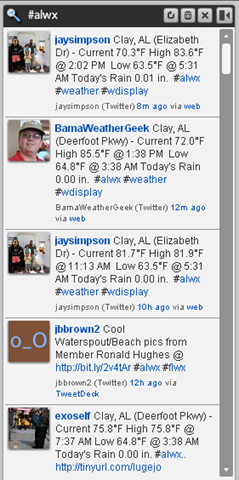
With the help of James Spann the use of the hastag #alwx was born.  Hash Tag terms are used in Twitter to denote ways to search for topics of interest. In this case #alwx stands for alabama weather.  Many spotters across the state (and other states) have adopted this style tag. Other states would use their abbreviation ending in wx. (example: mississippi #mswx, georgia #gawx, ect…)

Now that  you have some background how can you facilitate this?
Here are some tips:

  1. Twitter web page: you can type in search terms in the following box, once entered you get the option to save that search.
    image 
  2. Find Twitter desktop client you can run on your pc or mac.
    • Seesmic Desktop: has a way to save searches much like the twitter home page utilizing the bar at the top:
      image 
      then you will get a new column that you can click on:
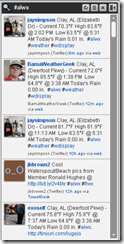
      image  image
    • TweetDeck: also has a way to add a search column to the application.
      image  image
  3. Find a client you can use mobile.
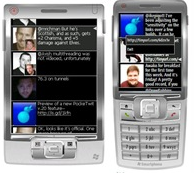
    • PockeTwit: a windows mobile client that has saved searches as a feature as of today.  At the time of this writing I’m not aware of any other mobile clients that have integrated search.
      image

I hope that give you a starting point! I look forward to seeing your weather reports around the Twittersphere!

Questions or comments can be posted here or give me a shout on Twitter! @KV4S

73,
Russell Thomas, KV4S

My Office Pictures 2009

Got my new dual 24in widescreen monitors this year!!

Direct Link: http://s241.photobucket.com/albums/ff22/KV4S/Office/2009

Live Mesh: My Viewpoint

Mesh is an easy way to “sync, share, and access” files between multiple PC’s.

From their site:
“Your work computer. Your home laptop. Your Mac. Your mobile phone. Devices live in multiple places. But the files you need—and the programs that open them—often don’t. Live Mesh changes all that.”

I began using Mesh during the Tech Preview and I’ve been primarliy using it to sync certain folders between 2 pc’s (even though it does much more). This is valuable because I can do things like maintian my Ham club contact list no matter which pc I’m on, check my bank balance or enter new check register entries, maintain other files and documents i need quickly, and everytime i save i know it will update on the other pc . It also has a website where i can logon and see my files even if i’m on someone else’s pc.

A few weeks ago at PDC2008 (Professional Developers Conference) they unveiled this platform for use on Windows Mobile and Mac. I had been waiting on this from the beginning because I have a Windows mobile phone.

I have established folder sync on my Window Mobile Professional 6.1 Phone (HTC Tilt) so now I can do the same type work no matter where I am and everything stays in sync. I’ve even used this to install programs without having to plug a cable or swap the SD card around. Also, any picture or video I take on the phone is automatically synced to my computer.

If any of this sounds interesting to you I recommend checking out the site I believe it’s an open beta now so you don’t have to get in the invite queue!

Have Fun!
Russell, KV4S

Windows Mobile 6.1 SMTP error fixed!


Update 11/11/2008:

Microsoft has a patch now!

http://tinyurl.com/wmsmtpfix

Original Post 10/22/2008:

The following article fixed and error i had sending SMTP email with IMAP:

http://tinyurl.com/smtp61

I have an AT&T Tilt that i had upgraded from Windows Mobile 6 to 6.1.

I have a gmail acct and an account setup on my domain kv4s.com.

My domain mail has been setup as google apps so it works like gmail.

On my Tilt I configured both as imap accounts and both worked.

About a week ago my domain acct quit sending mail but gmail worked fine. I attempted to use cwmx.com in the smtp address because i had to do that on pop3 in the past but that didn’t work for my domain acct.

After a few hours research came across this article installed the cab restarted the phone and did a test email and it worked fine…. thanks a million!


Russell Thomas
http://www.KV4S.com

Tilt upgrade to Windows Mobile 6.1

The AT&T Tilt phone I got almost a year ago is my first phone that has data and email on it, which I have itegrated more and more in my life.

This past weekend i took on the task of upgrading the ROM software from Windows Mobile 6 to 6.1. Worried that this was going to break my phone I did quite a bit of reading and online research but i couldn’t find anyone that had any problems doing this.

So i went out to the HTC site and downloaded the ROM version plugged my phone into the computer for an ActiveSync connection and in about 10 minutes i was done! Completely painless!

The most time consuming part of the upgrade was getting my programs re-installed and getting the phone setting customized again.

There was no issue with data because i had it all on a 2GB micro SD card. (photos, music, program installs, ect…)

There was also no issue with contacts since I have Exchange Server at work… once i configured ActiveSnyc on the phone all my email, contacts, and calendar items were pushed back to the phone from the server.

So on the next update I won’t be so worried!

Later, Russell